

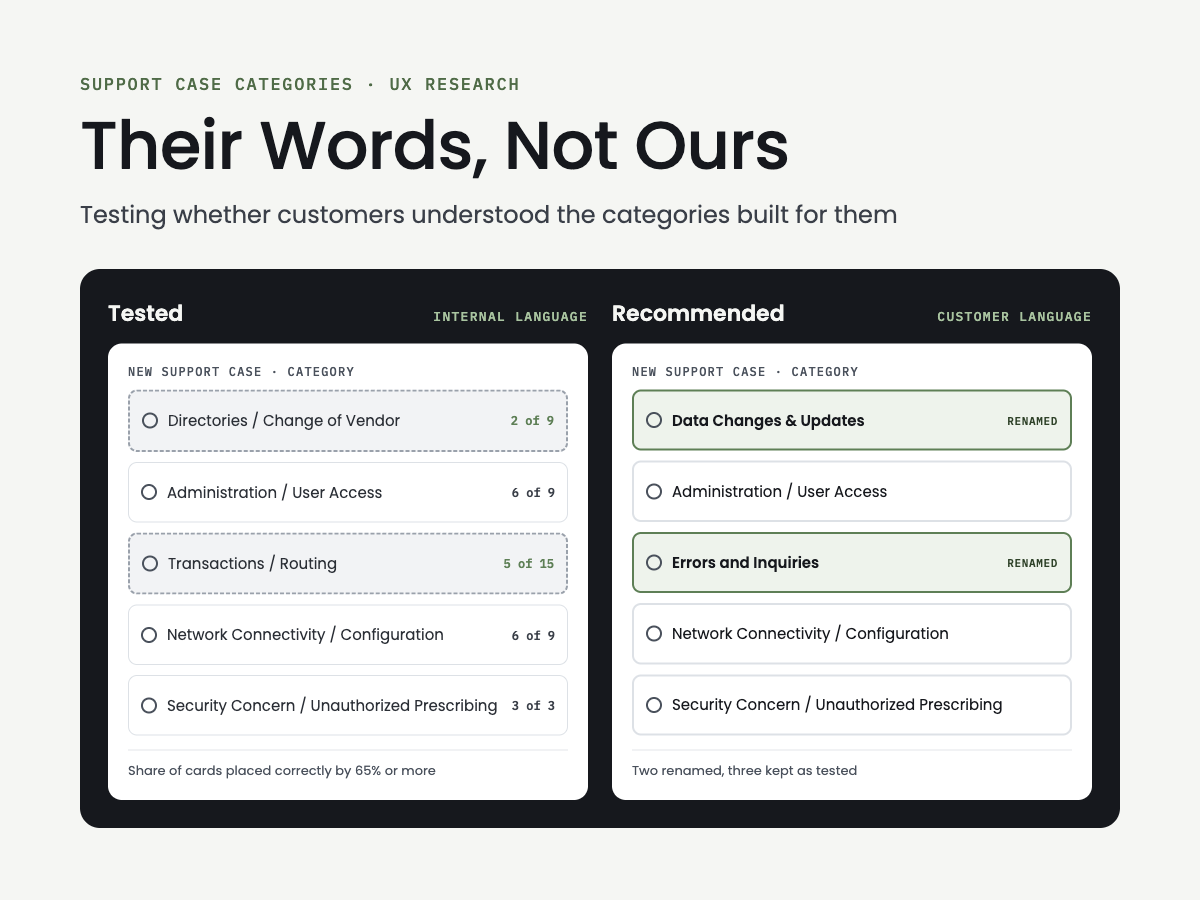
What are support case categories?
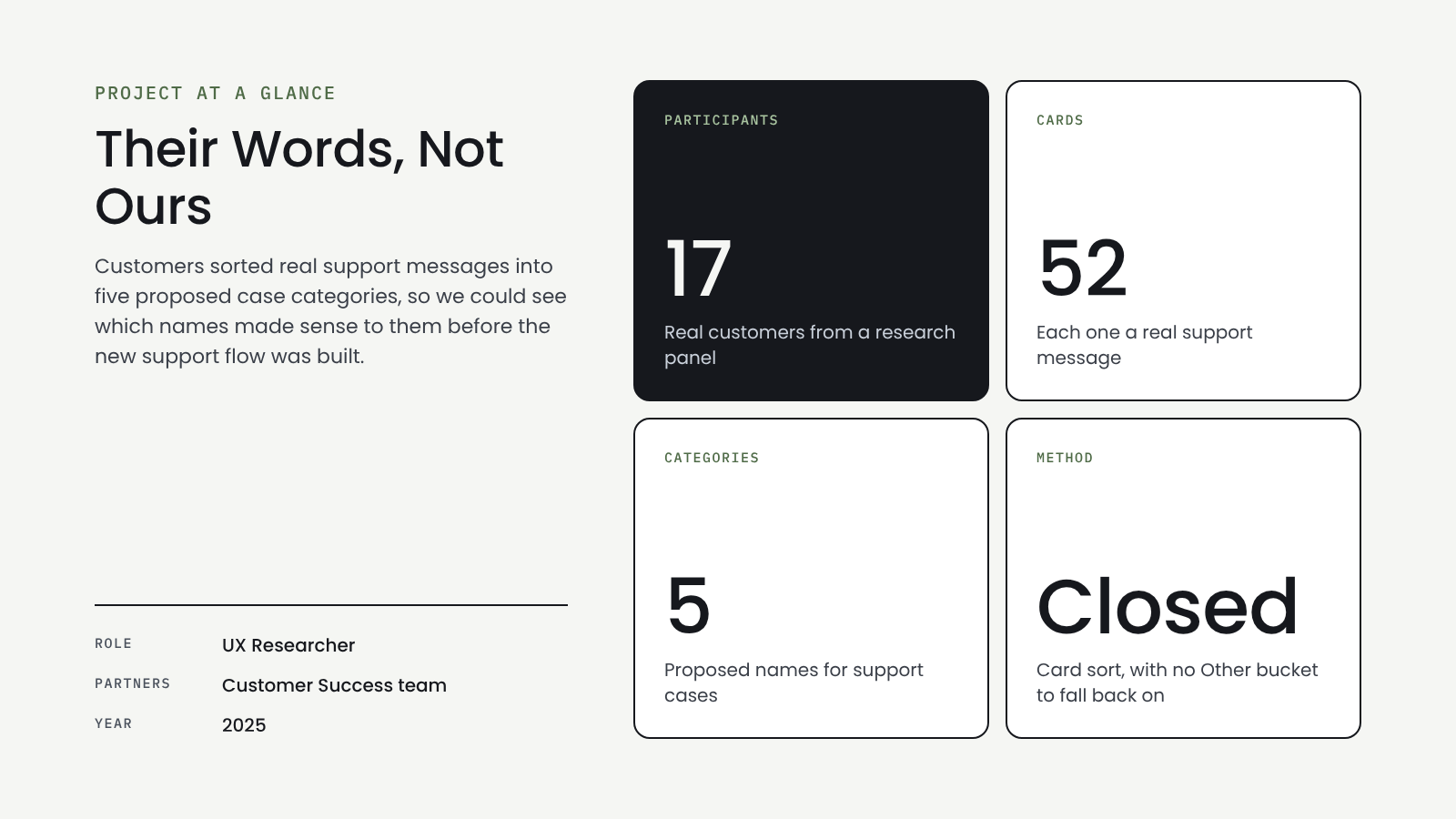
Customers of a healthcare network open support cases by picking a category. I tested whether five proposed categories made sense to the people using them.
The Problem
The category names came from internal team language. When customers pick the wrong category, cases get routed to the wrong place and take longer to resolve.
The Question: Would customers put their problem in the right place?
Research
Research Objectives
Understand how customers think about submitting a support request
Test the five proposed categories
Uncover pain points in the support process
How We Tested
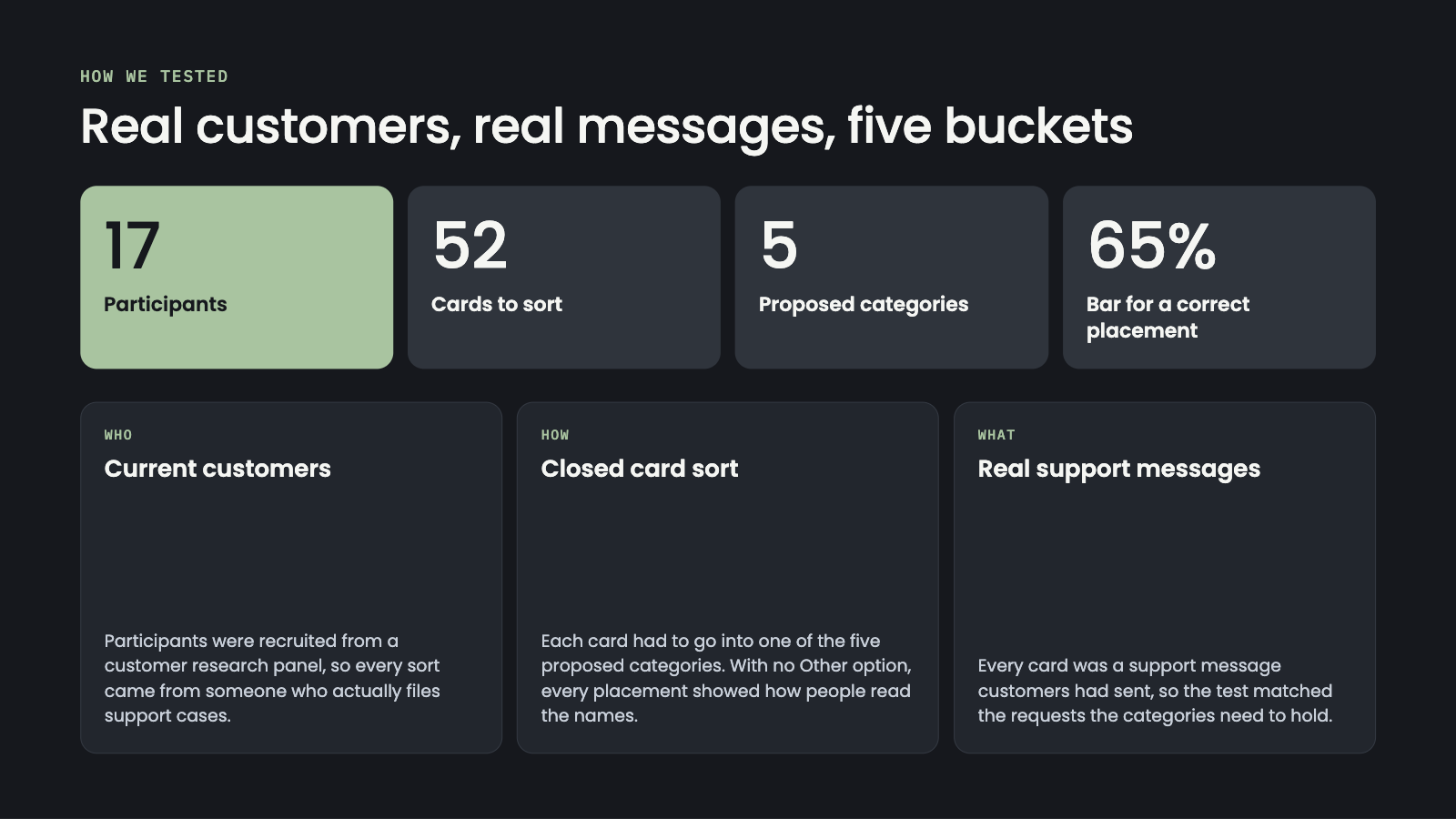
17 current customers, recruited from a research panel, sorted 52 cards into the five proposed categories. Each card was a real support message, and there was no “Other” option, so every placement showed how people read the category names. A card counted as placed correctly when 65% or more of participants put it in the intended category.
What I Found
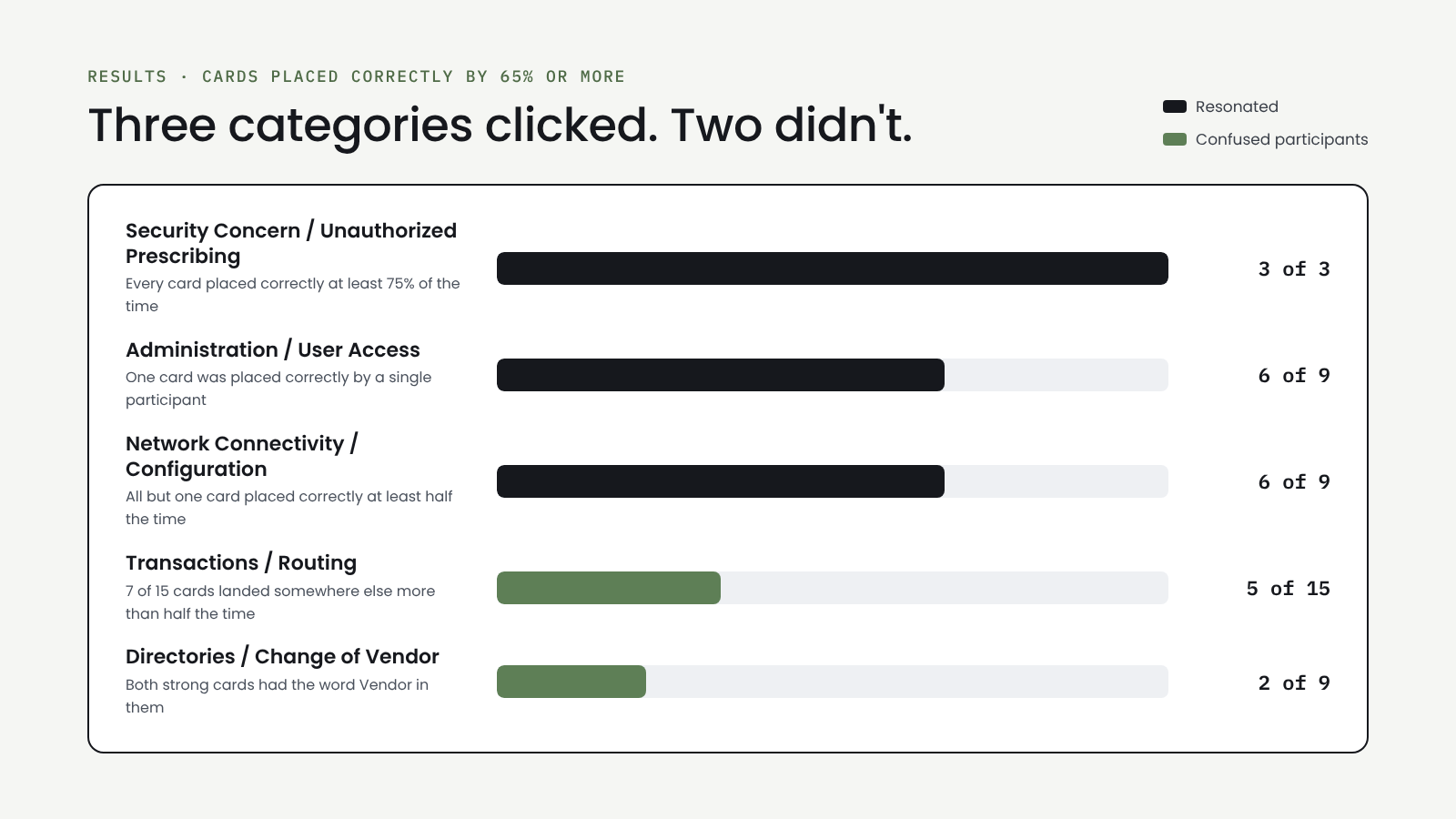
Three categories clicked. Two didn’t.
Security, Admin and Network resonated with participants. Transactions and Directories confused them.
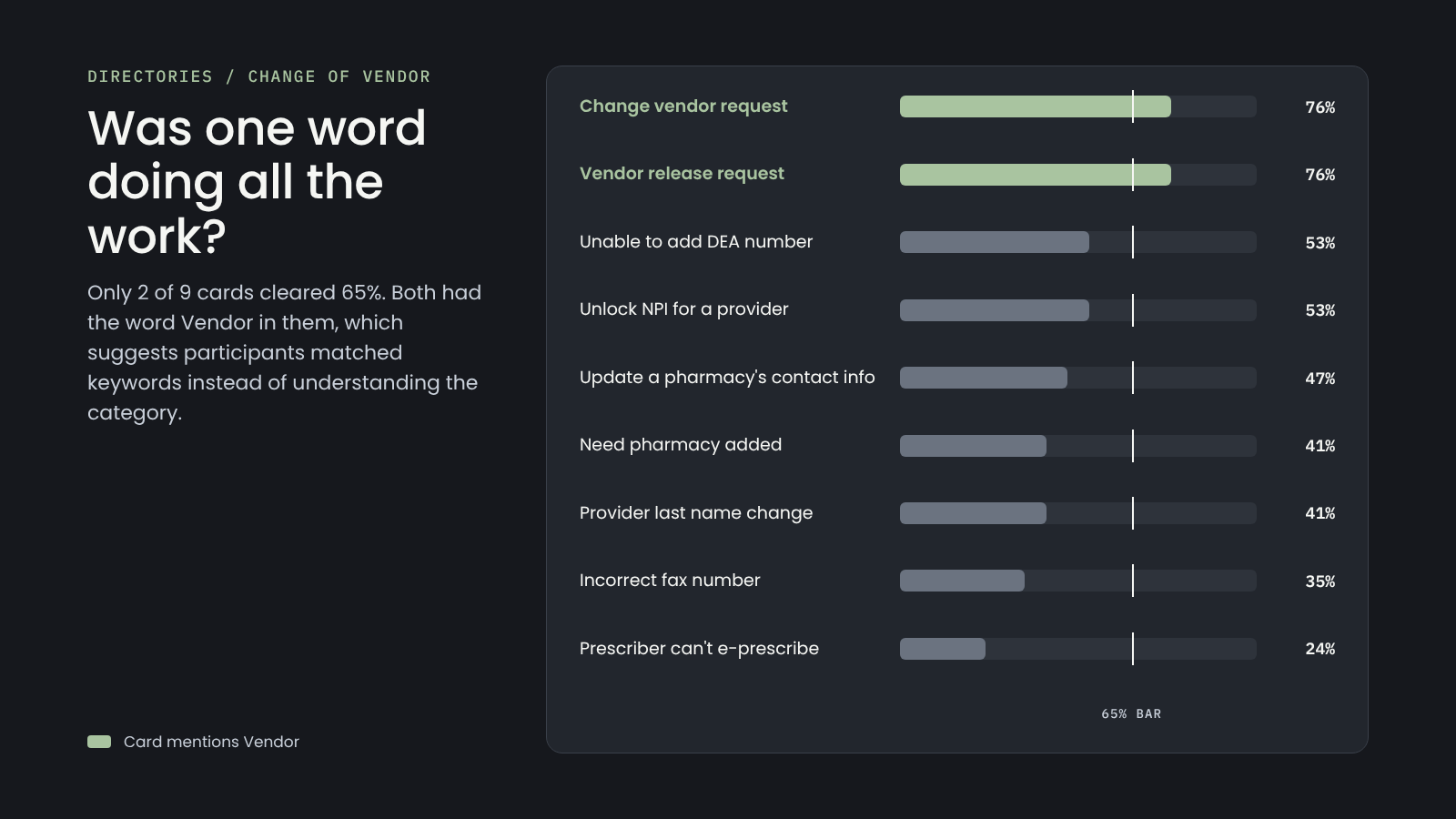
Was one word doing all the work?
Only 2 of 9 Directories cards cleared 65%, and both contained the word “Vendor.” Participants may have matched on the keyword without understanding the category.
No clear home
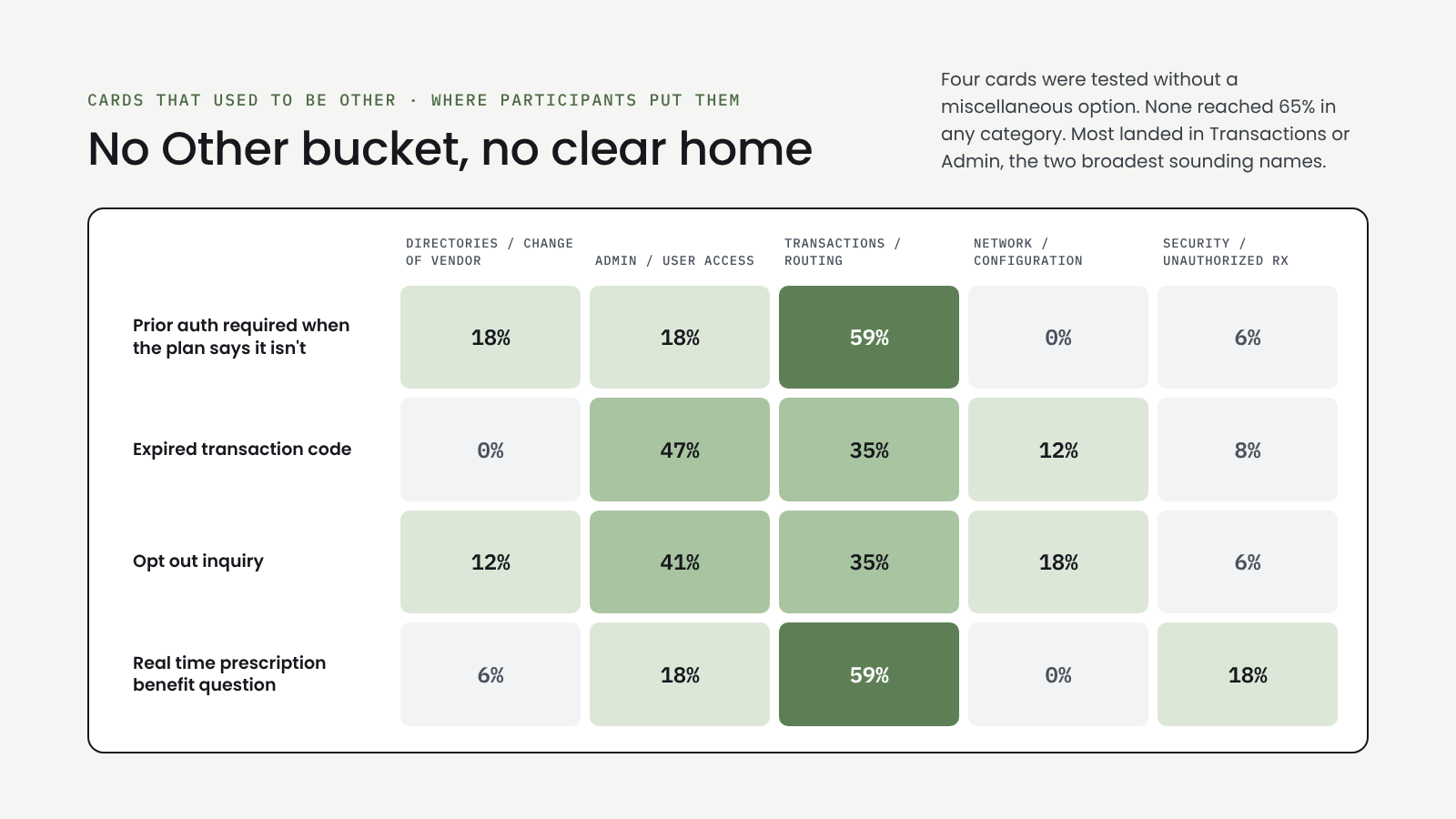
Four cards that used to sit in “Other” were tested without that option. None reached 65% in any category, and most landed in Transactions or Admin.
Recommendations
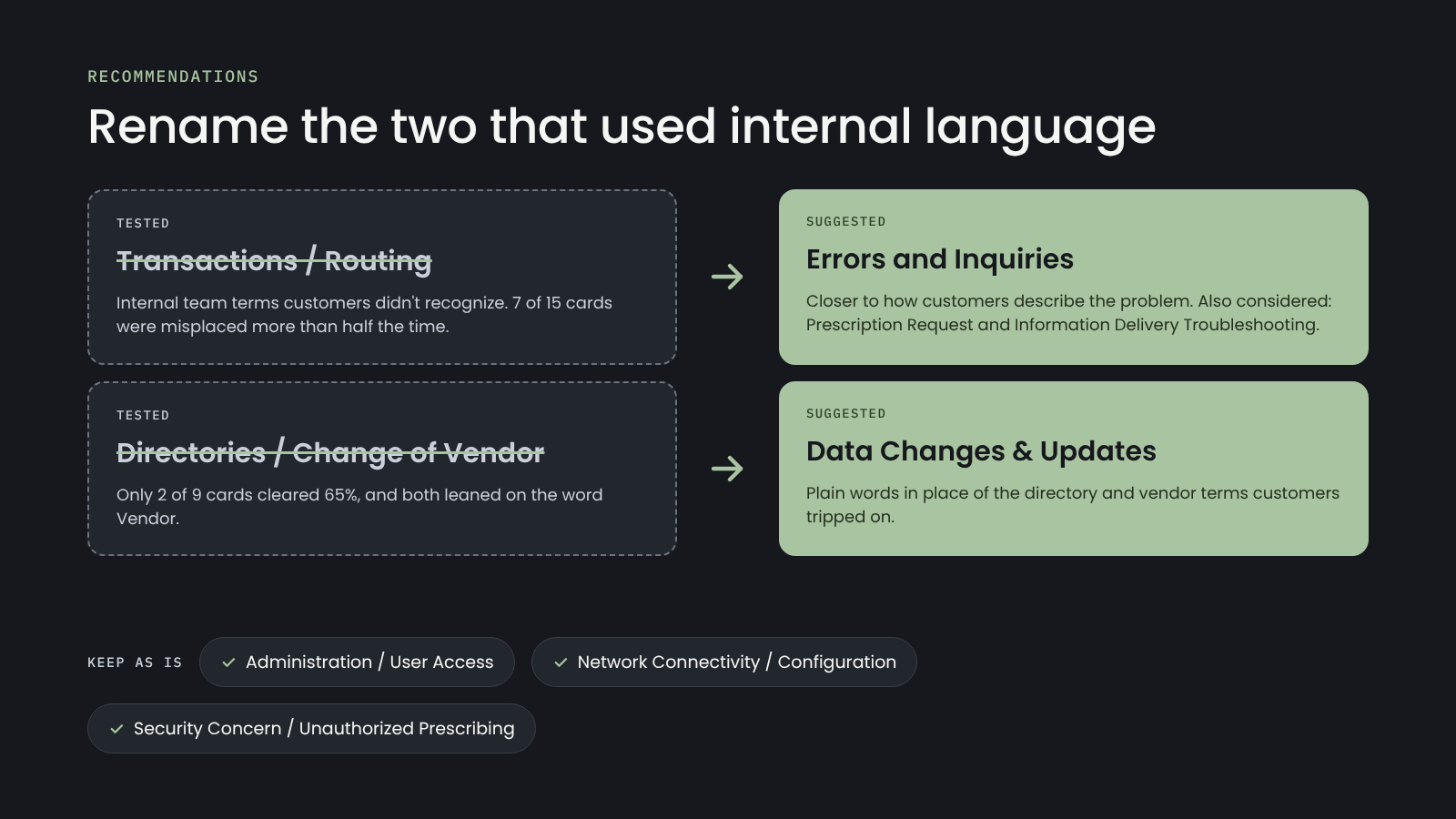
Rename Transactions / Routing to “Errors and Inquiries.”
Rename Directories / Change of Vendor to “Data Changes & Updates.”
Keep the other three categories as they are.
Outcome
I shared the findings and recommended category names with the Customer Success team, and they put the changes into the support case flow. Transactions / Routing became Errors and Inquiries, and Directories / Change of Vendor became Data Changes & Updates. After the new categories launched, support calls dropped by 20%. Customers could find the right place for their problem in their own words, so fewer of them had to call to get a case sorted out.
Reflection
Testing navigation before visual design paid off. Because the prototype was mid-fidelity, participants focused on structure, and we confirmed that the core framework worked before the team invested in polish. The most useful findings came from small moments: one hidden icon, one button that lost out to a search bar. We tested with internal experts who know the portal well. If I ran this again, I’d add external customers, because if experts missed the Compose action, newer users likely would too.
Outstanding questions
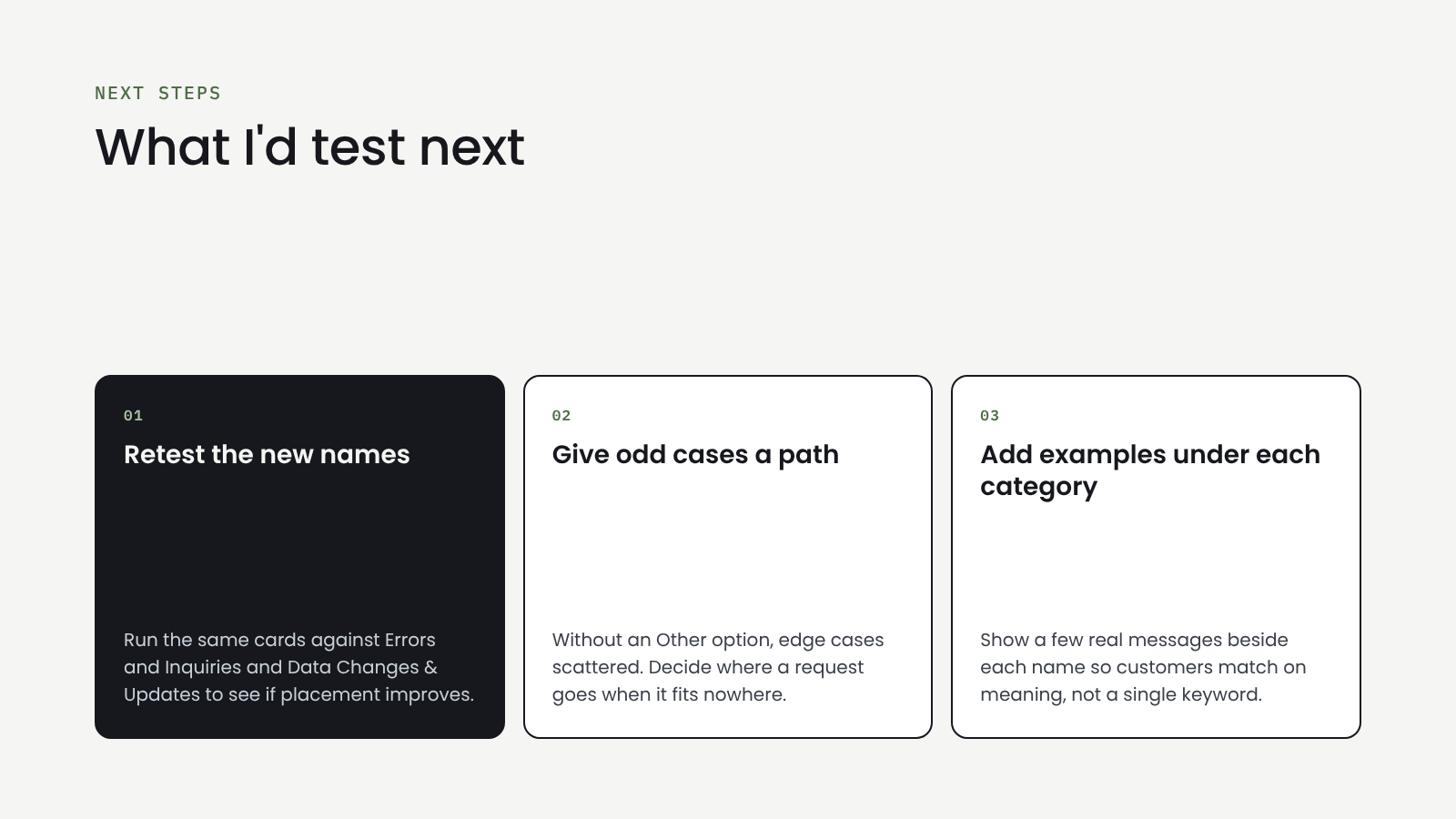
Where should a request go when it doesn’t fit any category, and would adding “Other” back help or turn into a catch-all?
Are customers choosing categories based on what they mean, or just matching keywords in the names?
Would short descriptions or example messages under each category help people choose with more confidence?
Do pharmacies, prescribers and technology vendors read the categories differently enough to need different options?

GCI- Yukon TV

BootUp

Code Championship